.webp)
The construction industry is going through a massive digital shift. Deadlines are tighter, project scopes are bigger, and clients expect near real-time updates.
You can no longer rely on scattered spreadsheets, manual follow-ups, or tools that don’t talk to each other.
If you’ve ever struggled with miscommunication between field teams, unexpected cost overruns, or procurement delays, you already know how quickly things can spiral.
That’s why leaders today are embracing Microsoft Dynamics 365 for the construction industry, a connected, intelligent, and cloud-powered system that brings every part of your business into one place.
It isn’t just software. It’s a smarter way of building. Let’s get to know it all in this blog.
Before you understand how Dynamics 365 transforms construction operations, it helps to know what the platform is at its core.
Microsoft Dynamics 365 for construction is a cloud-based suite that blends ERP and CRM capabilities into one unified solution.
Instead of juggling different tools to manage budgets, field activities, schedules, subcontractors, change orders, and procurement, you run everything from one ecosystem. That means fewer silos, fewer delays, and more control over the entire project lifecycle.
It's built for teams that need seamless coordination: project managers, accountants, procurement officers, equipment managers, engineers, and field supervisors.
Whether you’re managing a single building or multiple large-scale projects, Dynamics 365 helps you operate in a more predictable, strategic way.
With construction management software for Microsoft Dynamics 365, you gain full visibility into real-time progress, job costs, material movement, vendor performance, and equipment usage. The platform replaces guesswork with data-driven clarity, helping your teams take faster, smarter actions.
Construction companies deal with daily hurdles that slow down progress and increase costs. Here are some of the most common ones you may relate to:
When site teams, subcontractors, and office staff rely on phone calls or scattered updates, miscommunication becomes unavoidable. This leads to delays, rework, and confusion about what’s actually happening on the ground.
How Dynamics 365 solves it: A unified workspace connects office and field teams in real time, syncing tasks, progress, documents, and updates instantly. Everyone stays aligned without chasing information.
Most construction companies use separate tools for schedules, budgeting, procurement, and reporting. This fragmentation makes it difficult to see the true project status or make fast decisions.
How Dynamics 365 solves it: Dynamics 365 centralizes all project data, financials, materials, resources, and schedules into one connected platform, giving you a single source of truth.
Without real-time visibility into job costs, expenses pile up unnoticed, and budgets exceed expectations before anyone catches it.
How Dynamics 365 solves it: The system updates job costs automatically, tracks expenses live, and provides margin forecasts, helping you identify overspending early and maintain financial control across all projects.
Manpower and machinery often end up underutilized, double-booked, or unavailable at the moment you need them, slowing down execution.
How Dynamics 365 solves it: It gives you real-time insight into labor availability, equipment status, and usage, allowing better scheduling, reduced downtime, and optimized resource utilization.
Late deliveries, incorrect orders, and poor vendor coordination can stall construction timelines and disrupt planned workflows.
How Dynamics 365 solves it: The system tracks purchase orders, vendor timelines, material movement, and inventory levels, ensuring timely procurement and preventing shortages before they impact the project.
Manual handling of contract changes leads to miscommunication, missed approvals, and disputes with clients or subcontractors.
How Dynamics 365 solves it: It centralizes contract documents, automates approval workflows, and logs every change order, ensuring clarity, transparency, and legally compliant documentation throughout the project.
If your team relies on end-of-day reports or delayed updates, you’re always reacting late to issues that could’ve been prevented.
How Dynamics 365 solves it: Field teams can submit updates instantly, including photos, issues, tasks, and inspections, directly from mobile devices, giving management real-time visibility into site progress.
Preparing reports from scattered spreadsheets wastes time and often results in outdated or incomplete insights.
How Dynamics 365 solves it: AI-driven dashboards and automated reporting give you up-to-date performance metrics, cost analysis, and forecasts, helping you make decisions faster and with confidence.

Microsoft Dynamics 365 for Construction isn't just another ERP system.
It's a complete operational command center built specifically for the unique challenges you face daily.
Here's what makes these Microsoft Dynamics Features game-changing for construction businesses:
Managing multiple job sites simultaneously becomes effortless when you have real-time visibility into every project phase.
Track milestones, monitor progress against timelines, and identify potential delays before they impact your bottom line.
The system automatically alerts you when projects drift off schedule, allowing proactive intervention rather than reactive firefighting.
Integrated Gantt charts and resource calendars ensure everyone knows exactly what needs to happen next, eliminating the confusion that typically plagues complex construction projects.
Stop guessing whether projects are actually making money.
Microsoft Dynamics 365 for Construction provides real-time job costing that tracks every dollar spent against budgets, revealing true project profitability instantly.
You'll see exactly where costs are bleeding, labor overruns, material waste, or subcontractor inefficiencies, and course-correct immediately.
Multi-entity accounting handles complex scenarios like joint ventures and cost-sharing agreements, while automated revenue recognition ensures compliance with ASC 606 standards without manual calculations consuming your team's valuable time.
Your equipment represents millions in capital investment, sitting idle costs you money every single day.
Track utilization rates across your entire fleet, schedule preventive maintenance before breakdowns occur, and eliminate double-bookings that frustrate project managers.
The system monitors equipment location via GPS integration, calculates true ownership costs including depreciation and maintenance, and alerts you when assets need redeployment to maximize ROI.
Labor resource management ensures you have the right skilled workers assigned to appropriate projects, preventing costly delays from understaffing.
Material shortages can halt entire projects, costing thousands daily in idle labor and equipment.
Intelligent procurement workflows automate purchase orders when inventory hits reorder points, while vendor performance tracking ensures you're working with reliable suppliers.
Integration with supplier catalogs enables instant price comparisons, and three-way matching (PO-receipt-invoice) prevents payment errors and fraud.
Real-time inventory visibility across multiple warehouses and job sites eliminates the frustrating "we thought we had it" scenarios that plague construction operations regularly.
Construction contracts are complex documents where small oversights cost big money.
Centralized contract repositories with version control ensure everyone works from current agreements, while automated change order workflows track scope modifications with complete audit trails.
The system flags approaching deadlines, monitors compliance with contractual obligations, and calculates financial impacts of change orders before approval.
Integration with project management ensures contract terms align with actual work performed, protecting you from disputes and ensuring you're compensated for every deliverable completed successfully.
Your field crews need instant access to drawings, specifications, and change orders without returning to the office.
Mobile applications enable technicians to update job status, report hours worked, and capture photos documenting progress, all syncing in real-time with back-office systems.
Automated scheduling optimizes route efficiency, reducing travel time between job sites, while digital time capture eliminates paper timesheets and buddy-punching issues.
Equipment inspection checklists completed on mobile devices ensure compliance and safety, creating digital records that protect you during audits and insurance claims.
Stop making critical business decisions based on outdated spreadsheets and gut feelings.
Power BI dashboards deliver real-time insights into key performance indicators, project profitability, cash flow projections, equipment utilization, and workforce productivity, all visible at a glance.
Predictive analytics identify projects at risk of cost overruns or schedule delays before problems escalate, while customizable reports provide exactly the data stakeholders need without manual compilation.
Historical data analysis reveals patterns helping you bid more accurately, estimate more realistically, and identify which project types deliver the strongest margins consistently.
Now that you understand the powerful capabilities driving construction success, let's explore the specific Microsoft Dynamics 365 applications for construction.
The beauty of Microsoft Dynamics 365 construction solutions lies in their modular approach.
You're not forced into an all-or-nothing implementation that drains your budget and overwhelms your team.
Instead, you can start with the applications that address your most pressing pain points today.
Then expand as your needs evolve, and your confidence grows.
Each module works seamlessly together, creating an integrated ecosystem that eliminates those frustrating data silos you're dealing with right now.
No more entering the same information into three different systems.
No more chasing down project managers for status updates.
No more wondering if your financial reports actually reflect reality.
Here are the core applications transforming how construction companies like yours operate:
Think of Dynamics 365 finance as your financial backbone for construction accounting.
And we're not talking about basic bookkeeping here.
This application handles the complex stuff,multi-entity consolidations, job costing that actually makes sense, and revenue recognition specific to construction contracts.
You get real-time financial visibility that shows project profitability without waiting until month-end closeout.
Cash flow forecasting tells you exactly when money's coming in and going out.
Budget variance analysis highlights problems before they become disasters.
Automated accounts payable processes handle subcontractor payments and lien waivers without the manual headaches.
The system manages retention billing, progress invoicing, and change order accounting seamlessly.
No more spreadsheet chaos consuming your accounting team's entire week.
Just clean, accurate financial data when you need it.
Let's talk about something that's probably costing you more than you realize: Dynamics 365 supply chain management.
Material waste and procurement inefficiencies.
This application optimizes your entire supply chain from the moment you select a vendor through final delivery to the job site.
Intelligent inventory management tracks materials across multiple warehouses and active job sites.
You'll never again have a crew standing around because someone thought the lumber was delivered yesterday.
Automated reordering ensures critical supplies arrive exactly when needed, not three days late.
Vendor performance analytics identify your most reliable suppliers, so you stop working with the ones who always let you down.
Three-way matching prevents payment errors that create accounting nightmares.
Mobile receiving capabilities let your field teams confirm deliveries instantly.
Your projects keep moving forward without those frustrating material-related delays that blow your schedule.
This one's built specifically for project-centric businesses like construction.
Not retrofitted from manufacturing or retail software.
Actually designed for how you work.
It connects project planning, resource management, and financial tracking in one unified platform that makes sense.
You manage everything from initial bid through project closeout with complete visibility.
Timelines, budgets, resource allocation, it's all right there.
Time and expense tracking integrates seamlessly with payroll and billing, eliminating duplicate data entry.
Resource scheduling ensures you have the right people with the appropriate skills assigned to each project.
No more sending your best concrete guy to do framing work.
The application handles complex scenarios like T&M contracts, fixed-price projects, and cost-plus arrangements effortlessly.
You know exactly where every project stands financially at any moment.
Here's where Microsoft Dynamics 365 construction solutions really shine.
Bridging that frustrating gap between office and job site.
Your crews access work orders, safety documents, and project specifications directly from tablets or smartphones.
They update status in real-time without drowning in paperwork.
Intelligent scheduling optimizes technician routes and equipment deployment.
You maximize productivity while minimizing wasted travel time between sites.
Digital inspection checklists ensure safety compliance and quality standards are followed every single time.
Photo documentation and digital signatures create audit-ready records automatically.
GPS tracking provides real-time visibility into where your field teams actually are.
Better coordination means faster response times when issues pop up.
And trust us, issues always pop up in construction.
Stop making decisions based on gut feelings and outdated reports.
Power BI transforms your raw data into actionable intelligence embedded throughout your Microsoft Dynamics 365 construction applications.
Interactive dashboards provide instant visibility into project health and profitability trends.
No waiting for month-end reports that tell you about problems from three weeks ago.
Drill down from executive summaries to transaction-level details in seconds.
Uncover insights that actually drive better decision-making.
Predictive analytics identifies projects at risk before problems escalate into full-blown crises.
Custom reports deliver exactly the information your stakeholders need without manual compilation.
Mobile access keeps you connected to critical metrics, whether you're in the office, on the job site, or meeting with clients.
You'll finally have the visibility you've been asking for.
Let's be honest with you.
Implementing any new system feels overwhelming, especially when you're running active projects and can't afford downtime.
But when you implement Dynamics 365 for construction the right way, you minimize disruption and maximize results.
The key is following a proven roadmap that's worked for hundreds of construction companies before you.
No shortcuts, no skipping steps, no hoping things will work out.
Here's exactly how successful construction firms implement Microsoft Dynamics 365 for construction industry operations:
Before anyone touches your system, you need clarity on what you're actually trying to solve.
This isn't about technology, it's about your business.
Your implementation partner should spend serious time understanding your current workflows, pain points, and operational bottlenecks.
They'll document how you handle project bidding, job costing, subcontractor management, and change orders today.
What's working? What's broken?
Where are people wasting time on manual workarounds?
This phase identifies which Microsoft Dynamics 365 construction modules you actually need versus what salespeople think you should buy.
Good consultants will talk you out of features you don't need, saving you money.
The output? A detailed requirements document and implementation roadmap with realistic timelines and budgets.
Now the technical work begins.
Your consultant designs how Dynamics 365 for construction will actually function for your specific business.
This includes configuring the chart of accounts, job cost structures, project templates, and approval workflows.
They'll map your existing data fields to the new system and design integration points with other software you're keeping.
Think accounting systems, estimating tools, or project management platforms.
The goal is to create a system that matches how your team actually works, not forcing them to adapt to generic software.
You'll review prototypes and mockups, providing feedback before anything goes live.
This collaborative approach prevents the "this isn't what we asked for" surprise that ruins implementations.
Here's where things get real.
Moving your existing project data, vendor lists, contracts, and financial history into the new system.
But first comes data cleanup, fixing inconsistencies, eliminating duplicates, and standardizing formats.
Your old system probably has years of messy data that needs correction before migration.
This is tedious work, but absolutely critical for success.
The implementation team extracts data from legacy systems, transforms it into proper formats, and loads it into the Dynamics 365 construction industry platform.
They'll run multiple test migrations, validating accuracy before the final cutover.
You verify that the historical project information transferred correctly and the financial data balances match your old system.
No surprises, no missing information.
Most construction companies don't operate in isolation.
You need Microsoft Dynamics 365 construction solutions connected to estimating software, payroll systems, banking platforms, and maybe even equipment telematics.
This phase builds those critical integrations, ensuring data flows seamlessly between systems.
Custom reports get developed for the specific KPIs your executives actually monitor.
Workflows get automated, including purchase order approvals, timesheet submissions, and change order routing, eliminating manual bottlenecks.
The system gets configured for mobile access so field teams can work from job sites.
Everything is tested rigorously before anyone touches production environments.
Technology doesn't fail. People resist change.
That's why comprehensive training makes or breaks your implementation success.
Role-based training ensures everyone learns what they actually need; project managers get different training than accountants.
Hands-on workshops using real scenarios from your business make learning stick better than generic tutorials.
Power users get advanced training so they become internal experts supporting colleagues.
Documentation gets created, including quick reference guides, video tutorials, and process workflows.
Change management communication keeps everyone informed about what's changing and why.
Address concerns proactively rather than dealing with resistance after go-live.
Before flipping the switch, you test everything obsessively.
User acceptance testing with actual employees performing their daily tasks in the new system.
They process purchase orders, enter timesheets, generate invoices, and run reports.
Everything that happens in real life gets tested in the safe sandbox environment.
Issues get documented, fixed, and retested until everything works perfectly.
Performance testing ensures the system handles your transaction volumes without slowing down.
Implementation day arrives.
You implement Microsoft Dynamics 365 for construction industry operations with carefully planned cutover activities.
Often happens over a weekend to minimize business disruption.
Your team is on-site, providing hypercare support, immediate help when questions arise.
Monitoring system performance and user adoption closely during those critical first weeks.
Issues get resolved quickly before they become major problems.
After stabilization, you transition to ongoing support with regular optimization reviews.
The system evolves as your business grows and Microsoft releases new features.
Now that you know what to look for in a partner, let’s explore the overall cost
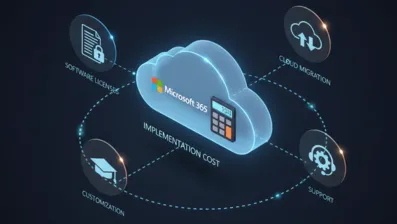
When it comes to implementing Dynamics 365 for construction businesses, the investment can vary widely based on your project size, modules, and customization needs.
Smaller contractors may spend on the lower end, while large enterprises with complex workflows, field-service requirements, and multi-location operations will naturally see higher budgets. Factors like data migration, integrations with project management tools, mobile field apps, and training also influence the total Microsoft Dynamics 365 implementation cost.
Most construction companies see the real value not just in the software, but in the efficiency gains–streamlined project tracking, improved resource planning, faster approvals, and real-time field visibility.
In the long run, the ROI often outweighs the upfront cost.
With the cost landscape clear, it’s equally important to understand the real-world challenges you might face during a Dynamics 365 rollout in the construction industry, and how to overcome them.
Implementing Dynamics 365 for construction industry operations comes with unique challenges like complex project workflows, multiple teams, and scattered data. Addressing these early ensures smoother adoption and better project outcomes.
Construction projects involve multiple subcontractors, changing timelines, and shifting resource needs. This complexity often makes data organization messy.
Solution: Dynamics 365 centralizes project schedules, budgets, and field updates, ensuring every stakeholder sees the same real-time information without digging through spreadsheets.
You may already use tools for planning, procurement, or field reporting, and not all integrate smoothly with D365.
Solution: A skilled implementation team can connect your legacy systems using APIs and custom workflows, creating a unified digital ecosystem without disrupting operations.
Field teams often rely on traditional paperwork or older apps, making them hesitant to adopt new systems.
Solution: Hands-on training, mobile-friendly D365 Field Service tools, and role-based dashboards make the transition feel intuitive and beneficial rather than overwhelming.
Construction companies usually operate with years of scattered data, contracts, purchase orders, site logs, vendor lists, and billing histories. Moving it all correctly can be tricky.
Solution: A structured migration plan cleans, categorizes, and transfers data safely, ensuring you start with accurate, reliable information inside Dynamics 365.
Delays, cost overruns, and inconsistencies happen when office teams and field teams don’t have synchronized updates.
Solution: Dynamics 365 offers mobile apps, field automation, and real-time dashboards to keep both sides aligned, reducing miscommunication and improving decision-making.
Construction profitability depends on tight cost control, but manual processes often lead to delays and errors.
Solution: D365 automates cost tracking, alerts you about overruns, and provides accurate forecasting to keep every project financially on track.
Safety documents, inspection reports, and compliance forms pile up fast.
Solution: Dynamics 365 stores, organizes, and automates compliance workflows so you spend less time managing paperwork and more time completing projects.

Getting started with Microsoft Dynamics 365 for your construction projects doesn’t have to be overwhelming.
The key is partnering with a reliable Microsoft Dynamics 365 Consulting company that understands the unique challenges of the construction industry.
They assess your current workflows, identify gaps, and recommend the right modules tailored to your business needs.
From configuring project management, financial tracking, and procurement workflows to integrating field operations with office systems, a trusted consulting partner ensures smooth implementation.
They also provide role-based training, data migration, and ongoing support, so your team adopts the system quickly without disruption.
With expert guidance, your construction company can leverage Dynamics 365 to improve collaboration, reduce costs, and gain real-time insights across projects, ensuring every build is efficient and profitable from start to finish.
Microsoft Dynamics 365 for Construction is more than just software—it’s a transformative solution that unifies your projects, finances, resources, and teams under one intelligent platform.
By providing real-time visibility, streamlined workflows, and predictive insights, it empowers construction companies to reduce delays, control costs, and improve overall project execution.
From small contractors to large enterprises, Dynamics 365 adapts to your needs, ensuring smoother collaboration between office and field teams while keeping budgets and timelines on track.
With the right implementation partner, construction businesses can leverage their full potential, turning challenges into opportunities for efficiency, profitability, and growth.
It’s a cloud-based ERP and CRM suite tailored for construction companies to manage projects, finances, procurement, resources, and field operations from a unified platform.
It centralizes data, provides real-time updates, automates workflows, and enables better resource and cost management, reducing delays and overruns.
Yes. Dynamics 365 supports integrations with legacy systems, project management software, payroll, and field apps through APIs and custom workflows.
Absolutely. Field crews can update job status, submit reports, capture photos, and access project documents directly from mobile devices in real-time.
Companies often see reduced project delays, optimized resource use, improved financial visibility, and faster decision-making, resulting in significant cost savings and profitability gains.

Manthan Jangid is a Senior Software Developer and Kentico Specialist with over 5+ years of experience delivering enterprise CMS and digital experience solutions. As a Kentico Xperience 13 and Xperience by Kentico Certified Professional, he specializes in Kentico upgrades, migrations, and modern digital experience implementations. Through blogs, articles, and community contributions, he actively shares Kentico best practices and real-world implementation insights. He is passionate about helping organizations build scalable and effective solutions with Xperience by Kentico.
Follow on LinkedIn

.webp)
.webp)
.webp)