Every time someone visits a page, your website has to gather information, build the page, and send it back to the visitor. That gathering step can take time. Caching is a way to keep a ready-made copy of the page so the next visitor gets it faster. Think of it like a coffee shop keeping a batch of brewed coffee ready instead of making every cup from scratch.
Below is a plain-language look at how caching works, what it does for your business, and how Kentico handles it automatically.
Caching is a storage shortcut. A website stores copies of pages, images, or data that are requested often. When someone visits the site again, the system can serve that copy instead of rebuilding the page from the database every time.
Kentico’s documentation defines caching as “a storage space that duplicates previously requested data, and allows faster access to the data in the future.” The main benefits are quicker loading and less repeated processing on every request. You can read the official explanation in the Kentico caching documentation.
Speed is not only a technical concern. It directly affects revenue, search visibility, and customer satisfaction. Here is what the research and industry consensus tell us:
Faster pages convert better. Visitors are less likely to abandon a site that loads quickly. Even small delays can cause measurable drops in form submissions, purchases, and leads.
Search engines favor fast sites. Google has used page speed as a ranking factor for years. A faster site can help your content appear higher in search results.
Lower hosting costs. When a page is cached, the server does less work. That means you can handle more traffic on the same infrastructure. When data is cached, it results in fewer, less frequent server calls for that data. This reduces the number of server requests, which in turn lowers server running costs and request costs, and also saves bandwidth.
Better user experience. A fast site feels professional and reliable. It keeps visitors engaged, especially on mobile devices where connections may be slower.]
.png "Internal-images-of-blog-(2).png")
Performance also feeds into your team’s day-to-day work. Marketing can launch campaigns without worrying that a traffic spike will slow the site down. Editors can preview and publish content faster. IT can spend less time troubleshooting performance issues. In other words, caching removes friction across the business, not just in the technology stack. That makes it a practical investment with returns that are easy to explain to leadership and stakeholders.
Kentico includes caching as a built-in part of the platform. The system runs it on the server, which means the speed improvements happen before the page even reaches the visitor. The core ideas are simple:
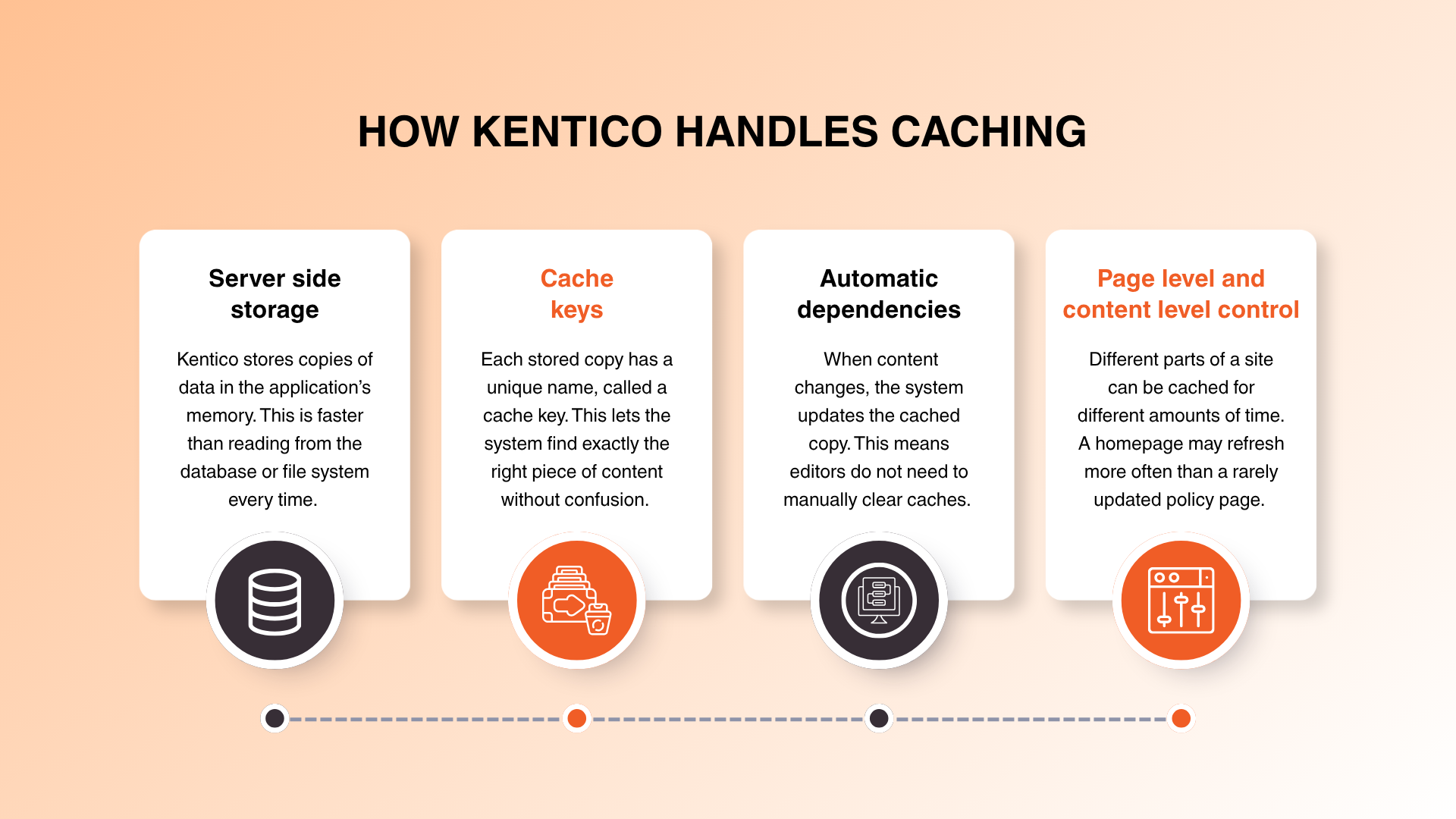
Server-side storage. Kentico stores copies of data in the application’s memory. This is faster than reading from the database or file system every time.
Cache keys. Each stored copy has a unique name, called a cache key. This lets the system find exactly the right piece of content without confusion. Refer to the Cache dependency keys reference in the Xperience by Kentico documentation — these are the specific keys that must be used, or the cache will not work as expected. Follow this document closely when configuring cache dependencies.
Automatic dependencies. When content changes, the system updates the cached copy. This means editors do not need to manually clear caches.
Page-level and content-level control. Different parts of a site can be cached for different amounts of time. A homepage may refresh more often than a rarely updated policy page.
For technical teams, Kentico provides detailed guidance on configuring caching for MVC sites. The details are covered in the official caching guide.
If you are planning a new build or a major change, working with specialists who understand the platform can make the difference. Our Kentico development services cover architecture, caching strategy, and performance from day one.
Caching is a single piece of the performance puzzle. It works best when it is paired with good hosting, clean page design, and regular maintenance. Think of it like this: caching is the fast lane, but the road still needs to be well paved.
A practical performance plan usually includes:
Image optimization. Large images are often the slowest part of a page. Compressing them reduces the load even before caching helps.
Clean code and integrations. Every third-party script, analytics tool, and marketing pixel adds work. Reviewing them regularly keeps the site lean.
Reliable hosting. Caching helps any server, but a well-configured Kentico environment gives you the most stable results.
Regular health checks. Performance is not a one-time task. Sites change, content grows, and traffic patterns shift. A scheduled review keeps caching rules aligned with the current site.
Our team covers this through ongoing Kentico support and maintenance, so performance stays on track after launch.
Here is a side-by-side comparison of the business impact:
| Without caching | With Kentico caching |
|---|---|
| Every page request hits the database or file system. | Commonly requested pages are served from fast memory. |
| Pages load slowly, especially under heavy traffic. | Pages load faster, even during traffic spikes. |
| Server works harder, which can increase hosting costs. | Server load is reduced, helping costs stay predictable. |
| Slower speeds can hurt search rankings and conversions. | Faster speeds support SEO, conversions, and user satisfaction. |
| Editors may need to wait for pages to rebuild after each update. | Content updates clear the cache automatically. |
Caching is included in the Xperience by Kentico platform. It is not a separate module or add-on. The platform is offered in two main license tiers: Standard and Advanced. The Advanced tier supports more channels, more features, and larger digital ecosystems.
Public pricing is not listed on the Kentico website. The company uses a quote-based model, so the exact cost depends on your number of channels, users, and hosting choice. For current pricing, you should contact Kentico directly or speak with a certified partner.
| Tier | Best for | Caching |
|---|---|---|
| Standard | Simple websites, a single main channel, and essential page-building tools. | Included |
| Advanced | Multi-channel digital experiences, email marketing, AI-assisted content, and scalability. | Included |
Source note: Tier descriptions and the quote-based pricing model are based on the official Kentico pricing page. Specific dollar amounts are not published publicly.
Most Kentico sites start with sensible default caching. Over time, changes in content, traffic, and business goals can make it worth reviewing. Watch for these signs:
Page speed has dropped. If your site used to feel fast and now does not, the cache settings may no longer match the current content mix.
You have added new channels. Adding email, mobile apps, or headless content can change the way data is requested and cached.
Traffic has grown. A small audience can become a large one quickly. The right caching setup helps you handle that growth without a sudden hosting bill.
You are planning an upgrade. Moving from Kentico 13 to Xperience by Kentico is a good moment to review caching, hosting, and performance together. Don't forget to update the cache key after migration, since both setups use different cache key structures — otherwise the cache won't clear when an editor changes content. If you are considering an upgrade, our Xperience by Kentico upgrade services can help you plan the move.
Regular reviews are especially important during migrations. If you are moving from another platform or an older version of Kentico, a structured approach protects your rankings and user experience. Our Kentico migration team treats caching as part of the overall migration checklist, not an afterthought. You can also read our guide on the common pitfalls in Kentico migration to avoid the mistakes that often slow projects down.
Modern Kentico sites often use AI to recommend content, personalize search, or generate variations of marketing copy. These features add business value, but they can also add processing. Caching helps by storing the parts of the page that do not change, while the AI handles the parts that do.
For example, a product page can cache the description, images, and specifications. The AI can then serve a personalized recommendation block without rebuilding the whole page. That balance keeps the experience fast and relevant. You can explore what is possible in our AI solutions for Xperience by Kentico.
No. Caching is built into the platform and is included in both the Standard and Advanced license tiers. There is no separate caching fee.
Kentico uses cache dependencies to automatically refresh stored content when an editor updates a page, product, or asset. This means visitors get the latest version without site managers having to clear caches manually.
No. Kentico handles personalized content intelligently. The system can cache the reusable parts of a page while still delivering personalized greetings, recommendations, or targeted offers to individual visitors.
Yes. Faster pages are especially helpful on mobile networks where connections can be slower. Caching reduces the amount of data and processing needed, so pages load quickly on phones and tablets.
Kentico caching is built in and works out of the box. Most teams can rely on the default settings, while technical partners can fine-tune caching for complex sites. If you need extra capacity, you can hire Kentico developers through our certified team.
The simplest signs are faster page load times, better performance scores, and lower server load. Your web team can also monitor these metrics in the hosting environment.
Caching is not a technical afterthought. It is a business tool that affects how customers experience your brand, how search engines rank your pages, and how much you spend on hosting. Kentico’s built-in caching helps you get those benefits without adding complexity.
_2.png "Website-blog-CTA-(5)_2.png")
Sources: Kentico Caching Documentation; Kentico Pricing. Claims about business impact are based on widely accepted industry research and should be treated as general guidance, not guarantees.

Ketan Hirapara is a senior software developer with over 8 years of experience, including more than 4 years specializing in Kentico CMS. As a certified Kentico CMS developer, he has strong expertise in ASP.NET Core, MVC, and Web Forms, contributing to a diverse range of projects from web applications to mobile app APIs. Ketan is passionate about sharing his knowledge through Q&A sections on Kentico and Stack Overflow, aiming to inspire others in the tech community.
Follow on LinkedIn

.png)
.png)