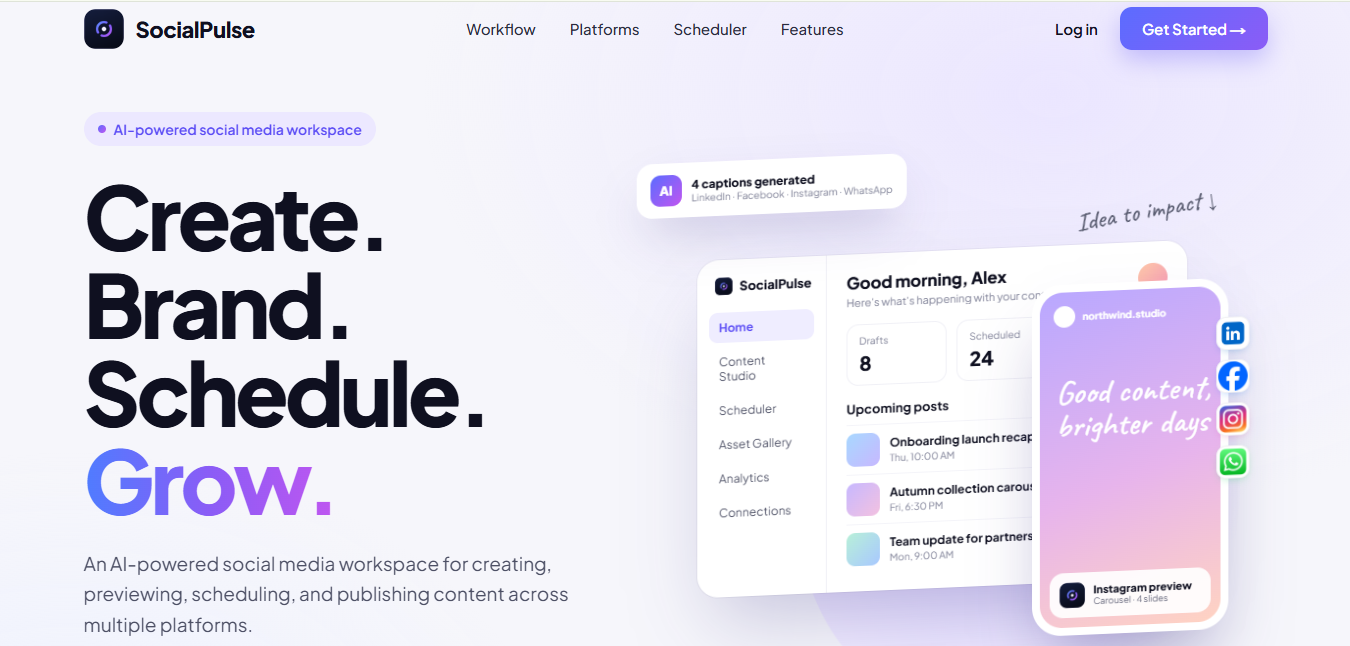
SocialPulse is an AI social media agent built by DotStark. It turns one idea into platform-ready posts for LinkedIn, Facebook, Instagram and WhatsApp. It writes captions, creates or brands images, shows a real preview for each channel, and schedules or publishes everything from one workspace.
If your team still writes a caption in one tool, designs in another, previews by guesswork and schedules in a third, you already know the cost. Hours go into copying, resizing and rechecking. Posts slip. Brand details get missed.
This guide explains what an AI social media agent is, how SocialPulse works step by step, who it is built for, and how it compares with a traditional scheduling tool. By the end, you will know whether it fits your team.
SocialPulse combines AI content creation, platform previews, scheduling, asset management, Canva editing, WhatsApp group posting and analytics in one tool.
| Feature | What it does | Why it matters |
|---|---|---|
| AI caption generator | Writes a separate caption for each platform, with the right tone, length and format | One brief becomes four channel-ready posts; less repetitive writing |
| AI image creation | Generates images, accepts uploads and builds carousels | Visuals are ready without leaving the workflow |
| Brand kit in one pass | Adds logo placement and ALT text to media | Consistent branding and accessible posts |
| Platform-specific previews | Shows the real layout for LinkedIn, Facebook, Instagram and WhatsApp | Catch problems before publishing, not after |
| Visual scheduler | Tracks Drafts, Scheduled and Published posts; a cancelled post returns to Drafts instead of being deleted | Nothing gets lost; a clear content calendar |
| Asset Gallery | One filterable library for generated, uploaded, Canva-edited, branded and carousel media | Find and reuse approved assets fast |
| Canva round-trip | Open a design in Canva, edit it, then import it back with captions, platforms and schedule intact | Designers and marketers work in sync |
| WhatsApp group publishing | Posts to WhatsApp groups you already have | Reach partners, teams and customers where they read |
| Platform analytics | Shows what is working per platform, based on each platform’s API | Learn and improve the next post |
Platform availability, publishing permissions, analytics and Canva functions can vary by integration and account setup.
Teams use SocialPulse for multi-channel publishing, campaign coordination, repeatable weekly content and creative collaboration.
A traditional scheduler publishes posts you have already made; SocialPulse, as an AI social media agent, also helps you make them.
| Task | Traditional scheduler + separate tools | SocialPulse |
|---|---|---|
| Writing captions | Written by hand, often copied across channels | AI writes a tailored caption per platform |
| Images | Made in a separate design tool | AI images, uploads, carousels and Canva round-trip in one place |
| Branding | Logo and ALT text added manually per asset | Logo and ALT text applied in one pass |
| Previews | Often generic or missing | Real layout preview for each platform |
| Usually not supported | Publish to existing WhatsApp groups | |
| Cancelled posts | Often deleted | Moved back to Drafts |
| Tools to manage | Three or more | One workspace |
The comparison describes a typical setup, not any single named product. Check current features of any tool you evaluate.
SocialPulse helps teams spend less time on repetitive content work, publish more consistently, and keep their brand intact across every channel.
Results depend on the platforms and integrations enabled in your setup.
Need a custom setup, more integrations or a guided walkthrough for your team? Book a demo with DotStark to confirm the right fit.
SocialPulse is an AI social media agent built by DotStark. It creates captions and images, applies branding, previews posts for each platform, and schedules or publishes them to LinkedIn, Facebook, Instagram and WhatsApp from one workspace.
SocialPulse supports LinkedIn, Facebook, Instagram and WhatsApp for publishing and previews, and connects with Canva for design editing. Exact availability depends on your account and integration setup.
Yes. SocialPulse writes a separate caption for each platform, matched to its tone, length and format, from a single idea. You choose a tone such as Professional, Friendly, Playful or Announcement.
Yes. SocialPulse can publish posts to the WhatsApp groups you already have, alongside your other social channels.
Yes. You can open a design in Canva, edit it, and import it back into SocialPulse. Your captions, selected platforms and schedule stay intact.
Yes. SocialPulse can generate AI images, accept your own uploads, and build carousels. All media is stored in a filterable Asset Gallery for reuse.
The post moves back to Drafts instead of being deleted, so you can edit and reschedule it later.
Yes. SocialPulse shows performance per platform. The insights available depend on what each connected platform’s API provides.
Yes. SocialPulse gives small and growing businesses one connected workflow for creating, branding and scheduling posts, without needing a large team or several separate tools.
Sign up free on the SocialPulse website, connect your social accounts, and create your first post. For a guided setup, book a demo with DotStark.
If your team wants one place to turn ideas into on-brand, platform-ready posts, SocialPulse is built for exactly that. It replaces the copy-paste routine between writing tools, design tools and schedulers with one AI-assisted workflow, from first idea to published post and performance review.
SocialPulse is part of DotStark’s growing range of AI agents, backed by a team with 17+ years of experience and 400+ projects delivered across 40+ countries. If you want a tailored AI agent for your own workflow, explore DotStark’s AI agent development services.

Garvit Vashishtha is an AI/ML Engineer at DotStark Technologies (India) Pvt. Ltd., passionate about building intelligent applications and next-generation AI-powered solutions. His work focuses on Generative AI, Large Language Models (LLMs), Retrieval-Augmented Generation (RAG), and multi-agent systems. With hands-on experience in Python, FastAPI, LangChain, LangGraph, React, and modern AI frameworks, he has contributed to projects involving AI automation, research agents, and intelligent content generation platforms.
Follow on LinkedIn