.png)
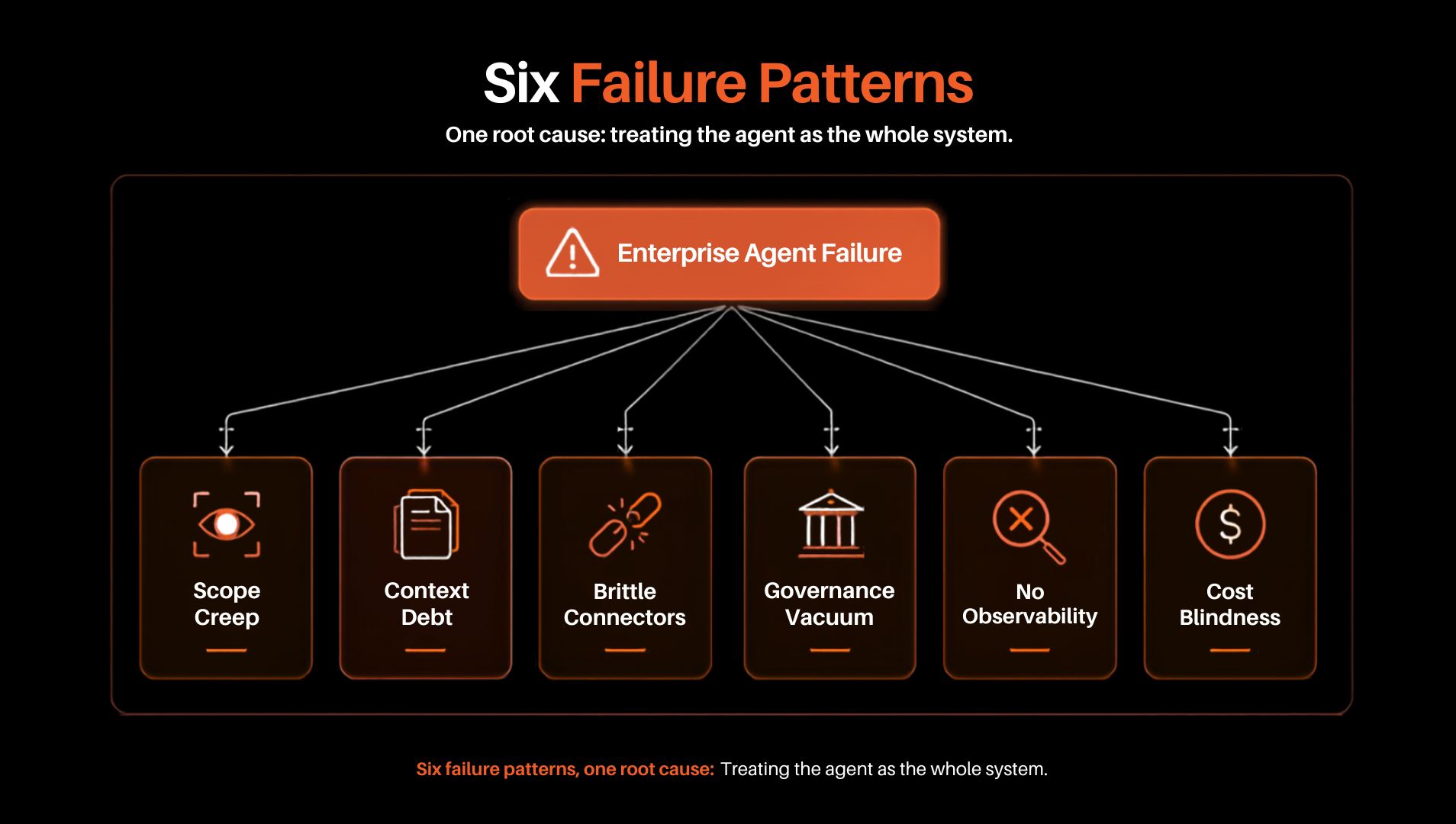
Most AI agent projects don't fail because the model is weak. They fail because the software around it was never built. Below are six architectural mistakes that show up again and again in enterprise deployments — and the fix for each.
88% Internal agent prototypes miss production uptime or accuracy bars. | 95% Pilots built without real process integration deliver no measurable value. | 12% Teams that ship successfully — by fixing the gaps in this guide. |
A model that's right 95% of the time on one step sounds production-ready. Chain five of those steps together and the math turns against you fast:
system accuracy = (0.95)⁵ ≈ 77.4% — five sequential tool calls, no validation between them.
A workflow that fails one time in four can't carry real business logic. This is why every mistake below is architectural, not prompt-level — each one is what stops a single weak step from taking the whole run down with it.
Teams write a single massive system prompt and ask one model to act as researcher, coder, auditor, and writer at once. As that prompt grows, the model starts missing edge cases, skipping business rules, and calling the wrong tools — the classic sign of context saturation.
The fix:
Plugging in a vector store and calling it done is a common shortcut. Plain top-k similarity search pulls back text that sounds related but misses the structured facts the agent actually needs — and unpruned history keeps piling into the context window, eroding reasoning quality over long runs.
The fix:
Legacy enterprise APIs return messy payloads, cryptic errors, and surprise rate limits. Give an agent direct, unguarded access and the first bad response can send it into a retry loop — hammering the same failing call until it burns through tokens or takes the service down with it.
The fix:
Flow: orchestrator call → execute API tool → payload valid? → yes: commit to state / no: increment error → retry cap hit? → no: backoff and retry / yes: trip circuit breaker → escalate to human. A capped retry loop with a human escalation path, instead of an infinite one.
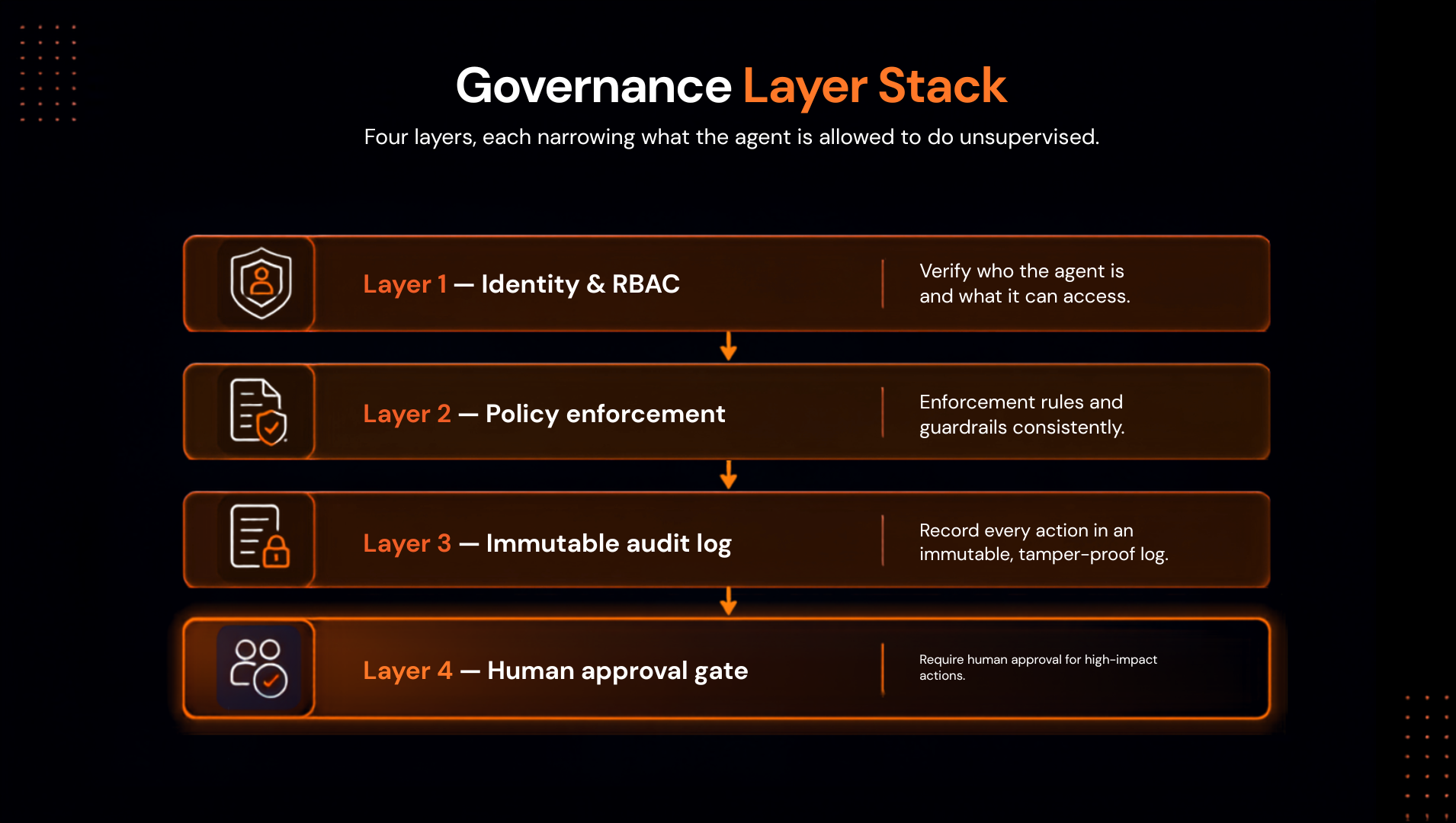
Without scoped permissions and an audit trail, an agent acting on behalf of a support rep can end up with the same reach as an admin — reading data it shouldn't, or writing to production without anyone noticing until later.
The fix:
Four layers, each narrowing what the agent is allowed to do unsupervised: identity & RBAC → policy enforcement → immutable audit log → human approval gate.
Judging an agent by its last message hides everything that happened to get there — silent retries, tool calls that picked the wrong endpoint, latency creeping up. By the time the final output looks wrong, the actual fault is buried several steps back.
The fix:
Using a top-tier reasoning model for simple classification or JSON formatting is expensive overkill. The bill climbs, leadership asks why, and the project gets cancelled for lacking ROI — not because the agent didn't work, but because nobody controlled what it cost to run.
.png "zaza-(1).png")
The fix:
Every team we've seen ship successfully follows a version of the same sequence — model selection happens after every other step, not before it.
| Component | Naive approach | Production standard |
|---|---|---|
| System prompting | One massive prompt with all logic and edge cases | Short prompts scoped to one sub-task |
| Tool access | Every agent can reach every endpoint | Tools partitioned by agent role |
| State storage | Lives in unmanaged conversation memory | External store — Redis, Postgres |
| Error handling | Retries until tokens run out | Retry caps, circuit breakers, human escalation |
| Output validation | Model checks its own output | Schema validation plus an independent QA agent |
| Deployment | One monolithic script, single thread | Micro-agents on event queues and state machines |
Run your build against this before it leaves the pilot environment.
Why isn't prompt engineering enough on its own?
A prompt shapes what the model says, not how reliably the system runs, how secure it is, or how state gets managed. Those are software engineering problems, and they need software engineering answers around the model.
How many tools should one agent hold?
Three to five closely related tools is a reasonable ceiling. Past that, split the work into separate worker agents coordinated by an orchestrator.
How does smart prompting control token costs?
Breaking work into narrow sub-tasks keeps each context window small, and routing routine steps to smaller models while reserving frontier models for planning cuts spend without cutting capability.
How do multi-agent systems stay compliant with data privacy?
Running the workflow inside an isolated VPC or private enterprise Azure development instance keeps proprietary data inside the organization's boundary.
Get your architecture audited before it ships
Dotstark reviews agent deployments against this checklist and helps enterprise teams close the gaps before they cost a production incident.
Schedule an Architecture Audit
Devang Bhardwaj is an AIML Engineer at DotStark Technologies (India) Pvt. Ltd., specializing in machine learning, deep learning, and GenAI-driven systems. With hands-on experience building end-to-end intelligent solutions - from data preparation and model development to API integration and deployment - he has worked on projects spanning RAG systems, computer vision, forecasting, and fine-tuning workflows. Skilled in Python, SQL, FastAPI, LangChain, PyTorch/TensorFlow, Docker, and vector database-based architectures, Devang is passionate about solving real-world problems through practical AI and continuously building systems that are both intelligent and production-ready.
Follow on LinkedIn