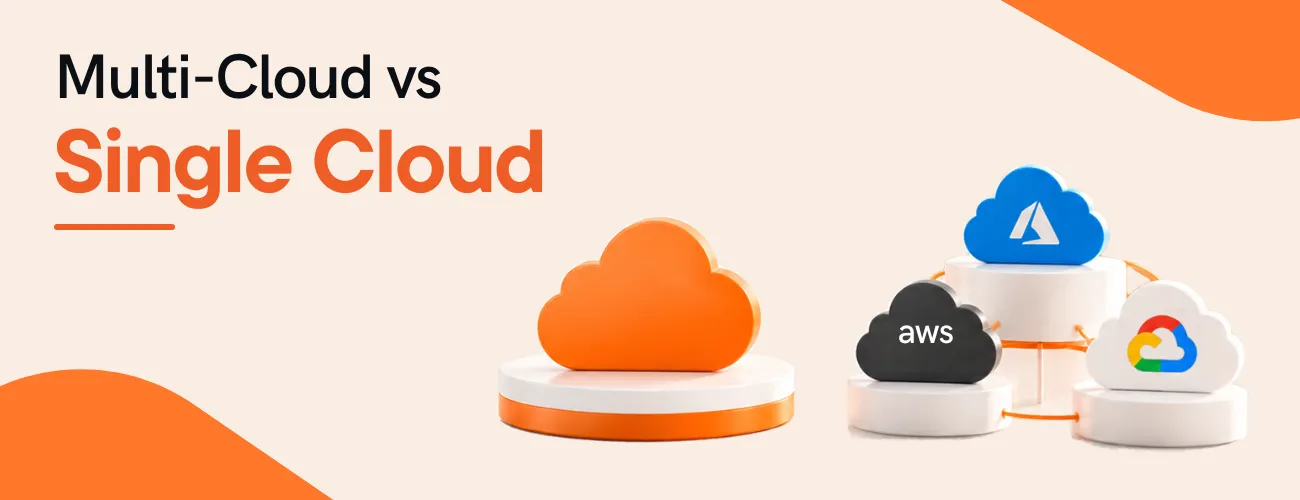
For most mid-sized companies, one primary cloud with portability built in works better than running several clouds in parallel. Add a second provider only when a workload needs a service your first cloud lacks, a contract or rule requires it, or an acquisition brought one in. Anything else adds cost and risk.
Quick answer
Single cloud means you run your workloads mainly on one provider, such as Microsoft Azure or Amazon Web Services (AWS). Multi-cloud means you run workloads on two or more providers at the same time. Hybrid cloud is a different mix: public cloud plus private infrastructure, such as your own data centre.
The labels blur in surveys. Flexera's 2026 State of the Cloud report says 73% of organizations run hybrid cloud. It also says multi-cloud adoption keeps rising, but often unintentionally, and it ties that to mergers, siloed application teams and inherited architectures. So many companies are multi-cloud without ever having chosen it.
By mid-sized, we mean a company with a small platform team, not a dedicated cloud organization. Most published data doesn't describe you. Flexera reports that 76% of large enterprises spend more than $5 million a month on public cloud, while small and mid-sized businesses concentrate below $50K a month. Read enterprise benchmarks with that gap in mind.
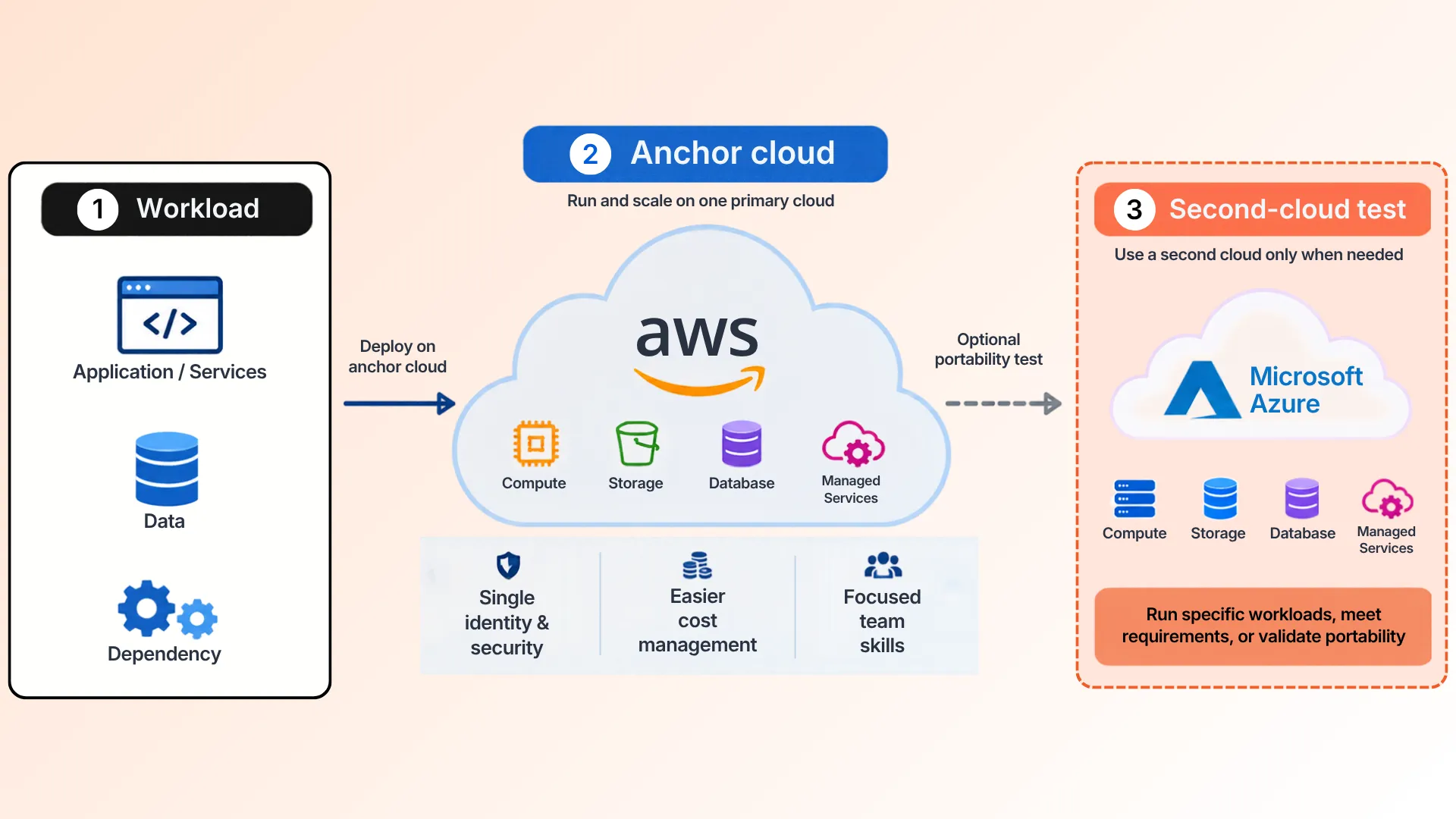
We recommend one anchor cloud for most mid-sized companies. A small platform team can go deep on one provider's identity, networking, cost tools and managed services. Spread the same team across two providers and each platform gets less attention.
The anchor isn't a cage. Build portability into the design with containers, infrastructure as code and standard data formats. Then add a second provider only when a specific workload earns it. Here's how the two approaches compare.
| Factor | One Anchor Cloud With Portability | Multi-Cloud Run in Parallel |
|---|---|---|
| Skills | One platform to learn deeply. Portability skills such as containers and infrastructure as code are shared. | Two or more platforms to learn, each needing its own depth. |
| Identity and security | One identity model and one security baseline. | Separate models per provider that must be aligned and audited. |
| Cost visibility | One bill and one tagging scheme. | Multiple bills in different formats to normalize. |
| Resilience | Multi-zone and multi-region within one provider. Exposed to a provider-wide event. | Survives a single-provider event only if the workload runs on both. Needs design and regular testing. |
| Lock-in and exit | Higher dependence on one vendor, reduced by portability and contract terms. | Lower dependence per workload, at the price of duplicated effort. |
| Best-of-breed services | Limited to the anchor's catalog plus approved exceptions. | Broad, workload by workload. |
| Governance load | Lighter. | Heavier. Usually needs a named owner and a FinOps practice. |
| Typical fit | Most mid-sized companies. | Inherited estates, specific service needs, or regulatory and contractual requirements. |
Check the "Typical fit" row against your own situation. If an acquisition left you on another provider, or a contract names one, you're already in the right-hand column.
A second cloud is worth it when you can name a workload and a reason. The table lists the cases we think hold up. Each one needs a short written case before anyone opens a new account.
| Situation | Why It Can Justify a Second Cloud | Put This in Writing First |
|---|---|---|
| An acquisition brought a different provider | Migrating immediately may cost more than running both for a defined period. | A target date to consolidate, or a decision to keep both, with a named owner. |
| A required service exists on only one provider | The workload needs that service and the anchor cloud has no equivalent. | The service, the gap, the data flows between clouds, and the exit plan. |
| A contract or regulatory requirement | A customer, regulator, or data residency rule may require a specific provider or region. | The clause or rule, and which workloads it covers. |
| A distinct workload with a measurable benefit | A specific analytics or AI workload performs materially better or costs less elsewhere. | The benchmark, the cost comparison, and who will run it. |
AI and analytics deserve a closer look. Flexera reports that generative AI is now the third most used public cloud service, at 58%, so workload placement comes up often. Before you add a provider for one, check what your anchor already offers. If your anchor is Azure, start with Microsoft Fabric services for analytics. We think a benchmark win on one task rarely pays for a second set of tools, skills and security reviews.
Only if the workload, its data and its deployment pipeline can run on both providers today. A second account that has never been tested isn't a failover plan.
Real incidents show why. AWS's own summary of its October 2025 disruption says the event began at 11:48 PM PDT on October 19 and ended at 2:20 PM PDT on October 20. It started in one region, US-EAST-1, with a DNS problem affecting the DynamoDB service there. That's more than 14 hours, inside one region of one provider.
Implementation detail
The same summary says EC2 instances that were already running before the event stayed healthy. The damage came from services that depended on DynamoDB, and from trouble launching new capacity. Work that was already running survived. Work that needed new resources didn't.
So test your recovery plan this way. List every recovery step. Mark the ones that create new resources or call a service in the failing region. Those are your real dependencies. Many can be fixed with a second region on the same provider, which usually adds less complexity than a second cloud.
It matters, but less than it used to, at least in the EU. The European Commission says the Data Act removes switching charges, including data egress charges for a switch, from 12 January 2027. That applies to customers in the EU, and it covers charges for switching, not every cost of leaving.
Providers already moved part of the way. In early 2024, Google Cloud, AWS and Microsoft each announced free data transfer out for customers leaving their platforms. The offers came with conditions, such as closing the whole account on Azure and exclusions for some AWS services.
Two costs the rule doesn't clearly remove: early termination penalties in your contract, and data transfer between clouds you run in parallel. Legal commentary on the Commission's FAQ suggests cost-based charges can remain for parallel use. Check your contracts before you design a data flow that crosses clouds. We'd negotiate commit length before we'd buy a second cloud as a lock-in hedge.
Cost. Flexera reports that wasted cloud spend reached 29%, the first rise in five years, and ties the rise to surging AI workloads. Bills from two providers arrive in different formats, so waste is harder to trace to an owner.
Security. Each provider has its own identity model, network setup and logging. You build and audit each one, then keep them aligned. Monitoring follows the same pattern: two sets of dashboards, alert rules and on-call runbooks.
Skills. Your team has to follow two sets of services, pricing models and release cycles. Depth in one tends to cost you depth in the other.
Governance. Flexera found that 63% of organizations rely on a FinOps team and 71% on a cloud center of excellence or equivalent. Those figures come from organizations with far larger cloud budgets than most mid-sized companies, so don't assume you can staff both.
Cheapest fix first. Whichever clouds you run, set one tagging standard, one budget owner per workload and one monthly cost review. That works on a single cloud and it's the base you'd need on two.
Buying a second cloud for uptime too early. Build multi-zone and multi-region on your first provider before you add another.
Letting each team pick its own provider. Flexera calls multi-cloud growth often unintentional. A written reason for every provider stops that drift, and a short approval step makes it stick.
Avoiding managed services just to stay portable. You pay for that choice in engineering time. Keep portability selective, and spend it where moving would hurt most.
Treating exit as free. The Data Act covers switching charges. Contract terms and cross-cloud traffic still need a read.
Comparing list prices only. Count the full cost: skills, tooling, data transfer, and the time to review security twice.
Approving exceptions with no exit plan. Every second-cloud case needs a named owner and a way out. Without them it becomes permanent by default.
Never revisiting the decision. AI workloads and pricing change fast. Put a yearly review on the calendar.
One cloud has real limits. A provider-level problem can touch most of your workloads, as the October 2025 event showed. Multi-region design reduces that risk. It doesn't remove it. You also depend on one vendor's pricing and roadmap, so commit terms and exit clauses matter more.
Portability costs effort too. Containers, infrastructure as code and export paths take engineering time, and the most portable choice isn't always the most productive one.
A single cloud is the wrong call outright in three cases: a contract or rule requires a specific provider or region, a required service exists on only one provider, or an acquisition has already left you with two. In those cases, run both on purpose, with an owner and a consolidation date.
If you're in one of those cases, write down who owns each provider, what runs on it, and when you'll review it. Without that, you've drifted into multi-cloud rather than chosen it.
Multi-cloud means using two or more public cloud providers, such as Microsoft Azure and AWS. Hybrid cloud means combining public cloud with private infrastructure, such as an on-premises data centre. A company can be both at once.
Usually it costs more to run, because you duplicate identity, security, monitoring and skills across providers. Flexera's 2026 report puts wasted cloud spend at 29%, and splitting spend makes waste harder to trace. A second cloud can still pay off when a specific workload needs a service the first one lacks.
It lowers dependence on one provider for each workload, but it adds duplicated effort. You can also reduce lock-in with containers, infrastructure as code, standard data formats and careful contract terms. For EU customers, the Data Act removes switching charges from 12 January 2027.
Only if the workload, its data and its deployment pipeline can run on both providers. The AWS disruption of October 19 to 20, 2025 began in one region, US-EAST-1, so multi-region design on a single provider can cover some cases with less complexity. Test failover before you rely on it.
Add one when you can write down the workload and the reason. Valid reasons include an acquisition that brought another provider, a required service that exists on only one provider, a customer or regulatory requirement, or a distinct analytics or AI workload with a measurable benefit. Without one of these, the extra overhead is hard to justify.
Yes. DotStark provides Azure architecture, DevOps and migration services, plus AWS development services, so a workload review can cover both platforms. A good review lists each workload, its dependencies, its resilience target and its compliance needs, then places each one on purpose.
Book a scoping call with our cloud team. Bring your workload list, your resilience targets and any provider contracts, and we'll help you place each workload on purpose.
Book a scoping call with our cloud team
With more than a decade of experience in designing and developing enterprise-grade applications, Manoj brings deep technical expertise and a solution-driven approach to software development. Specializing in modern technologies, cloud-native architectures, AI-powered applications, and system integrations, Manoj leads development teams in delivering secure, scalable, and business-focused solutions. Committed to engineering excellence and innovation, Manoj enjoys solving complex technical challenges while helping organizations accelerate their digital transformation journey.
Follow on LinkedIn

.webp)
.webp)