.png "Kentico_Development_Model-1300.webp")
At some point, every growing business hits a moment of truth. Your systems feel slow.
Your teams want flexibility. And your data? It’s scattered everywhere.
That’s where the Cloud vs On-Premise ERP decision starts to matter a lot.
If you’re trying to scale, support remote work, or make faster decisions, your ERP isn’t just a tech choice anymore. It’s a business strategy.
On-premise systems may feel familiar, but they often demand heavy IT involvement, upfront investments, and constant maintenance.
Cloud ERP flips that model by giving you speed, scalability, and real-time access, without the infrastructure headaches.
The real question isn’t which ERP is better.
It’s which one helps you move faster, adapt quicker, and stay competitive in a digital-first world?
Let’s break it down so you can make that choice with confidence.
What Is Dynamics 365 Online?
Dynamics 365 Online is Microsoft’s cloud-based ERP designed for businesses that don’t want to be slowed down by legacy systems.
Instead of managing servers, updates, and security patches, you access everything through the cloud, anytime, anywhere. Finance, sales, operations, and customer data are all connected in one intelligent platform.
What makes it a game-changer?
Automatic updates. Built-in scalability. Seamless integration with Microsoft 365, Power BI, and the Power Platform.
For businesses tired of rigid systems, implementing Dynamics 365 means faster deployment, lower IT dependency, and continuous innovation without disruption. It’s ERP that grows as you grow, no reinvention required.
Understanding On-Premise Dynamics 365: How the Legacy Model Works
On-premise Dynamics 365 follows the traditional ERP approach.
You host it, you manage it, you maintain it.
In the on-premises ERP vs Cloud debate, this model gives you control, but at a cost. You’re responsible for hardware, security, upgrades, and downtime. Scaling often means buying more infrastructure and planning lengthy upgrades.
For some businesses with strict compliance needs, on-premises can still make sense. But for most modern organizations, it slows innovation and increases operational overhead.
That’s why many companies now rethink implementing Dynamics 365 on-premise and explore cloud alternatives that deliver flexibility without sacrificing performance or security.
The shift isn’t about trends, it’s about working smarter, not harder.
Cloud vs On-Premise Dynamics 365: Key Differences at a Glance
Choosing between Dynamics 365 Cloud and On-Premise really comes down to how agile you want your business to be.
Dynamics 365 Cloud lets you move fast, with easy access from anywhere, automatic updates, and no server headaches slowing you down.
On-Premise Dynamics 365 gives you tighter control and deeper customization, but it also means heavier infrastructure, ongoing maintenance, and a dedicated IT team to keep everything running smoothly.
It’s flexibility versus control, and your growth strategy decides the winner.
Feature / Factor | Dynamics 365 Cloud | Dynamics 365 On-Premise |
Deployment Model | Hosted and managed by Microsoft | Installed and managed on your servers |
Infrastructure | No physical hardware required | Requires servers, storage, and networking |
Implementation Time | Faster go-live with minimal setup | Longer setup and configuration time |
Accessibility | Access from anywhere, any device | Limited to the office network or VPN |
Scalability | Instantly scalable as the business grows | Scaling requires hardware upgrades |
Updates & Upgrades | Automatic, regular updates | Manual upgrades with downtime |
Maintenance | Handled by Microsoft | Managed by internal IT teams |
Cost Structure | Subscription-based, predictable | High upfront and ongoing costs |
Security | Built-in enterprise-grade security | Security depends on the internal setup |
Compliance | Meets global compliance standards | Requires manual compliance management |
Disaster Recovery | Built-in backup and recovery | Separate disaster recovery planning |
Integration | Seamless with the Microsoft ecosystem | Limited or complex integrations |
Customization | Flexible but within cloud limits | Deep customization possible |
Remote Work Support | Ideal for hybrid and remote teams | Less flexible for remote access |
Long-Term ROI | Lower total cost of ownership | Higher long-term operational costs |
And this is exactly why more organizations are rethinking their ERP strategy and turning to cloud-first solutions with the support of the right Microsoft application development company to guide their transformation.
It’s not just about technology anymore; it’s about building a smarter, faster, and more scalable business foundation.
Why Smart Businesses Are Moving to Dynamics 365 Online?
When you compare Dynamics 365 cloud vs on premise, one thing becomes clear: modern businesses value speed, flexibility, and future readiness.
Cloud ERP removes the operational friction that slows teams down and replaces it with a system that adapts as your business evolves.
That’s exactly why more organizations are choosing Dynamics 365 Online over traditional deployments.
1. Faster Time to Value
With Dynamics 365 Online, you don’t lose months setting up infrastructure or configuring servers.
The cloud model allows you to deploy faster and start using the system almost immediately.
This means you see results sooner, your teams adapt quickly, and you begin realizing ROI without long implementation delays that are common with on-premise ERP.
2. Built to Scale Without Complexity
Business growth rarely follows a straight line.
Dynamics 365 online lets you scale users, storage, and features as your needs change.
Unlike on-premise systems that require new hardware and planning, the cloud grows with you effortlessly.
This flexibility is a major reason why the Dynamics 365 cloud vs on premise comparison favors cloud for growing organizations.
3. Automatic Updates, Always Current
Staying updated shouldn’t disrupt your business.
Dynamics 365 Online delivers automatic updates that bring new features, security enhancements, and performance improvements without downtime.
You never fall behind or worry about manual upgrades.
Compared to on-premise environments, this keeps your ERP modern, secure, and continuously optimized with zero operational stress.
4. Anywhere Access for Modern Teams
Work doesn’t happen in one location anymore.
Dynamics 365 Online gives your teams secure access from anywhere–office, home, or on the move.
Sales, finance, and operations stay connected in real time.
In the Dynamics 365 cloud vs. on-premises discussion, this level of accessibility makes cloud ERP the clear choice for remote and hybrid work models.
5. Reduced IT Burden, Better Focus
Cloud ERP shifts the responsibility of infrastructure, security, and maintenance to Microsoft.
That means your IT team spends less time managing servers and more time supporting innovation.
Instead of firefighting system issues, they can focus on strategic improvements that drive business value, something on-premise systems often struggle to enable.
6. Future-Ready with Built-In Innovation
Dynamics 365 Online isn’t just an ERP–it’s an evolving platform.
Built-in AI, analytics, and seamless Power Platform integrations help you automate processes and gain deeper insights.
As technology advances, your ERP evolves automatically.
This future-ready approach is why, in the Dynamics 365 cloud vs on premise debate, cloud consistently comes out ahead.
Other than these differences, we will get to know about the cost comparison one by one.
Cost Comparison: Cloud vs On-Premise Dynamics 365
When it comes to Dynamics 365 on premise vs cloud, cost is one of the most important factors for decision-makers.
You’re not just comparing numbers, you’re weighing how each model affects your budget today and your financial flexibility tomorrow.
Let’s walk through the real-world cost picture so you can see where your dollars go and what you really get for them.
1. Upfront and Infrastructure Costs
With an on-premise deployment, the biggest cost hit comes upfront.
You need servers, storage, networking hardware, licensing for underlying software, and a data center or co-location space.
These purchases can be significant, often running into tens or hundreds of thousands of dollars, depending on scale.
Add to that cooling, power, backups, and security systems, and your infrastructure budget grows fast.
In contrast, cloud ERP removes most of that upfront capital expense. There’s no hardware to buy, and hosting is provided by Microsoft as part of your subscription.
Even though cloud costs are ongoing, you’re not locking cash into depreciating assets, which makes budgeting predictable.
2. Licensing and Subscription Fees
In the Dynamics 365 cloud vs. on-premises debate, licensing models look very different.
On-premise licenses are usually perpetual; you buy them once, but you also pay annual maintenance fees (often 16–22% of license cost).
Cloud uses a subscription model with monthly or annual fees per user.
While you pay over time, that subscription covers many services that you’d otherwise pay separately, like security, redundancy, and infrastructure management.
3. IT and Operational Costs
Costs don’t stop at hardware and licenses.
On-premise systems require a dedicated IT team to manage servers, apply patches, perform backups, and handle upgrades. That means salaries, training, and sometimes consultants.
Cloud shifts much of that work to Microsoft.
This lowers your internal IT costs and reduces the chance of unexpected spend on emergency support or hardware failures.
When you compare total operational spend over three to five years, cloud often comes out ahead even if subscription fees seem higher at first glance.
4. Implementation and Customization Costs
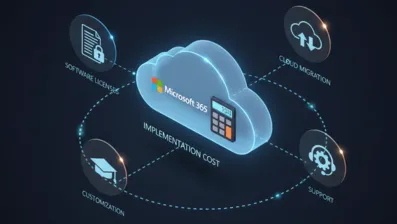
Your Dynamics 365 implementation cost includes planning, configuration, data migration, testing, and training.
Whether you choose cloud or on-premise, this exists, but cloud implementations tend to be faster and more predictable because infrastructure setup is already done for you.
You can often reduce project risk and avoid extended timelines that inflate consulting fees.
5. Long-Term ROI & Flexibility
On-premise can feel cheaper if you look only at license ownership, but it hides costs in maintenance, upgrades, scalability, and downtime.
Cloud helps you align costs with actual usage, scale without heavy spend, and innovate continuously without large refresh projects.
Bottom line: If you value predictable budgeting, lower upfront spend, and reduced IT burden, cloud typically delivers stronger ROI over time.
On-premise might still make sense for unique compliance or control needs, but for most modern organizations, cloud economics win out.
When On-Premise Dynamics 365 Still Makes Sense?
While cloud ERP is the preferred choice for most businesses, on-premise Dynamics 365 continues to be relevant in specific scenarios.
If your organization prioritizes control, compliance, or deeply customized operations over flexibility and rapid change, an on-premise setup can still align better with your business needs.
1. Strict Data Residency or Regulatory Requirements
If your business operates under strict regulations that require sensitive data to remain within a physical location or private infrastructure, on-premise Dynamics 365 makes sense.
Industries like government, defense, healthcare, and finance often need full control over where data is stored, accessed, and audited to meet compliance standards.
2. Heavy Customization and Legacy Dependencies
Some organizations rely on highly customized workflows or legacy systems that don’t easily adapt to cloud constraints.
On-premise Dynamics 365 allows deeper customization at the application and database level, making it suitable when your business processes are unique and tightly integrated with older enterprise systems.
3. Limited or Unreliable Internet Connectivity
If your operations run in locations with inconsistent internet access, cloud ERP may cause disruptions.
On-premise Dynamics 365 ensures continuous system availability without depending on connectivity.
This is especially relevant for manufacturing plants, remote facilities, or regions where stable internet access cannot be guaranteed.
4. Existing Infrastructure and Long-Term Investments
Organizations that have already invested heavily in servers, licenses, and data centers may find it financially sensible to continue with on-premise ERP.
Migrating to the cloud immediately might not deliver enough short-term ROI to justify abandoning existing infrastructure that is still performing effectively.
5. Strong In-House IT Expertise
If you already have a capable IT team experienced in managing servers, security, backups, and upgrades, on-premise Dynamics 365 gives you full autonomy.
This setup works well when internal teams can efficiently handle system performance, customization, and compliance without relying heavily on external vendors.
6. Preference for Stability Over Frequent Change
Some businesses value stability more than continuous feature updates.
On-premise deployments allow you to control when upgrades happen, avoiding frequent changes that may impact training or workflows.
This can be ideal for organizations that prioritize predictable operations over rapid innovation.
Security in Cloud vs On-Premise Dynamics 365: Myths vs Reality
Security is often the biggest concern when you’re choosing an ERP system.
Understanding how cloud and on-premise security actually work helps you decide without second-guessing later.
Let’s get to know some myths and reality:
Who Owns Security:
Myth: In Dynamics 365 Cloud vs On-Premise, on-premise systems feel more secure because you own the servers and control access directly.
Reality: Security today depends more on expertise than ownership, especially when guided by experienced Microsoft Dynamics 365 consulting companies that leverage Microsoft’s enterprise-grade encryption, continuous monitoring, and 24/7 dedicated security teams, far beyond what most internal IT teams can realistically maintain on their own.
The Illusion of Physical Control:
Myth: The Cloud vs On-Premise Dynamics 365 mindset assumes physical access to servers automatically means better security.
Reality: Physical control doesn’t stop cyber threats. What matters is real-time monitoring, proactive threat detection, and rapid response. Cloud platforms are designed to identify vulnerabilities early and act fast, reducing exposure far more effectively than traditional on-site setups.
Updates and Patch Management:
Myth: With Dynamics 365 cloud vs on premise, manually managing updates seems like a safer, more controlled approach.
Reality: Manual patching often causes delays, which attackers exploit. Cloud ERP applies critical security updates automatically, keeping your system protected without downtime or constant oversight. This removes one of the most common causes of ERP security breaches.
Threat Detection and Response:
Myth: Dynamics 365 online vs On-Premise environments are equally capable of detecting and handling cyber threats.
Reality: Cloud platforms use AI-driven threat intelligence and real-time monitoring to respond immediately to suspicious activity. On-premise systems depend heavily on internal teams, which can slow response times and increase risk during critical security incidents.
Human Error and Access Risks:
Myth: In the Cloud vs On-Premise ERP discussion, remote access is often viewed as a major security weakness.
Reality: Most breaches happen due to human error, not remote work. Cloud ERP reduces this risk with role-based access, centralized identity management, and standardized security controls that keep users protected across devices and locations.
Responsibility vs Capability:
Myth: In the Dynamics 365 on premise vs cloud debate, managing security internally is seen as stronger and safer.
Reality: Internal control also means full responsibility. Cloud ERP shifts much of the security burden to Microsoft, making enterprise-level protection easier for you to maintain consistently without constant manual effort or resource strain.
Dynamics 365 Cloud vs On-Premise: Common Mistakes Businesses Make
Choosing between cloud and on-premise ERP sounds simple on paper, but this is where many businesses trip up.
When you rush the decision or focus on the wrong factors, even a powerful platform like Dynamics 365 can fall short.
Let’s talk about the most common mistakes businesses make, and how you can avoid them.
Mistake 1: Choosing based on comfort, not business goals
Many businesses stick with on-premise simply because it feels familiar. You might already have servers, an IT team, or past experience with legacy ERP.
How to fix it: Step back and evaluate where your business is heading. If flexibility, scalability, and speed matter, Dynamics 365 cloud vs on premise decisions should align with future growth, not past comfort.
Mistake 2: Underestimating long-term costs
It’s easy to focus only on license costs and ignore maintenance, upgrades, and infrastructure. This often makeon-premiseses look cheaper than it really is.
How to fix it: Look at the total cost of ownership. When you compare cloud vs on-premise ERP over 3–5 years, cloud often wins due to predictable pricing and reduced IT overhead.
Mistake 3: Assuming cloud means less control
A common fear in the Dynamics 365 cloud vs on premise debate is losing control over data and security.
How to fix it: Understand the shared responsibility model. Dynamics 365 Online offers strong governance, access controls, and compliance tools, while still giving you visibility and control over your data and users.
Mistake 4: Ignoring user adoption and change management
You can choose the right deployment model and still fail if your teams don’t adopt it properly. This happens often during rushed migrations.
How to fix it: Plan training early. Whether you choose cloud or on-premise Dynamics 365, focus on user experience, role-based access, and gradual onboarding so your teams feel confident using the system.
Mistake 5: Treating ERP as a one-time project
Many businesses see ERP as a “set it and forget it” investment, especially with on-premise setups.
How to fix it: Think long-term. Dynamics 365 is a living platform. Regular optimization, updates, and improvements, especially in cloud deployments, help you stay competitive and get continuous value from your ERP.
Migration Considerations: Moving from On-Premise to Dynamics 365 Online
Planning a move from on-premise ERP to Dynamics 365 Online can feel overwhelming.
With proper preparation, careful planning, and clear communication, you can reduce risks, avoid downtime, and make the most of the cloud’s benefits.
Here are the key migration considerations every business should know:
1. Understanding If Cloud Is the Right Choice
When you wonder if Dynamics 365 cloud is better than on-premise, consider your business goals.
The cloud offers flexibility, scalability, and lower IT maintenance. You get automatic updates, secure remote access, and predictable costs.
On the other hand, on-premise can feel familiar but often slows innovation and increases infrastructure overhead, especially for growing businesses.
2. Choosing the Right ERP Deployment Model
If you ask should I choose cloud or on-premise ERP, it’s essential to evaluate current pain points.
Slow upgrades, complex maintenance, and limited remote access signal that cloud ERP might suit you better.
On-premises may give control, but cloud deployments allow faster deployment, easier scaling, and more predictable ROI as your organization evolves.
3. Preparing Your Data for Migration
Before you migrate Dynamics 365 to cloud, data preparation is critical.
Cleaning outdated records, removing unused customizations, and mapping essential data ensures accuracy and prevents legacy issues from transferring.
Proper planning reduces surprises during migration, keeps operations smooth, and lays the foundation for better reporting, analytics, and workflow automation in your new Dynamics 365 Online environment.
4. Reviewing Customizations and Integrations
During a Dynamics 365 cloud migration, it’s important to review all customizations and integrations.
Some on-premise custom code may not work seamlessly in the cloud, requiring redesign or optimization.
Planning this ahead ensures continuity for your business processes, avoids downtime, and helps your cloud ERP deliver the full benefits of automation, analytics, and seamless Microsoft ecosystem integration.
5. Addressing Challenges in Dynamics 365
One of the biggest Challenges in Dynamics 365 migrations is managing change.
Users may resist new interfaces, processes, or ways of working. Lack of proper training can slow adoption and reduce ROI.
Address this early by involving teams, planning role-based access, and providing hands-on training. A smooth transition keeps productivity high and prevents costly errors.
6. Phased Migration and Testing Strategy
Breaking your migration into phases is essential for success. Test each stage carefully to catch errors early and ensure data integrity.
Gradual migration allows you to validate performance, workflows, and integrations.
Phased deployment reduces downtime, gives your team confidence, and ensures a smooth transition from on-premise to Dynamics 365 Online without disrupting day-to-day operations.
Future of ERP: Why Cloud-First Is Becoming the Default
ERP is no longer just about managing operations; it’s about staying competitive in a fast-moving digital world.
As businesses demand speed, flexibility, and smarter insights, cloud-first ERP is quickly becoming the standard rather than the exception.
For many organizations, the shift is clear because Dynamics 365 cloud is better than on-premise when it comes to adaptability and long-term growth.
The future of ERP is deeply connected to automation, AI, and real-time data access.
Cloud platforms make it easier for you to respond to market changes, support remote teams, and roll out new features without disrupting daily work.
As more companies migrate Dynamics 365 to the cloud, they’re not just upgrading technology; they’re simplifying operations.
Automatic updates, built-in security, and seamless integrations with Microsoft tools help you focus on strategy instead of system maintenance.
When you look at the Future of Dynamics 365, it’s clearly cloud-driven.
Innovations like Copilot, low-code automation, and advanced analytics are released cloud-first, giving you access to new capabilities as soon as they’re available.
Staying on legacy systems may feel comfortable, but it often limits innovation.
Cloud-first ERP gives you the freedom to scale, adapt, and evolve without heavy infrastructure or long upgrade cycles.
In a digital-first world, ERP isn’t standing still.
Moving to the cloud ensures your business stays ready for what’s next, not just for today, but for the future ahead.
How DotStark Helps Smart Businesses Win with Dynamics 365 Online?
Choosing Dynamics 365 Online is a smart move. Making it work perfectly for your business is where DotStark steps in.
As a trusted Dynamics 365 Consulting Company, DotStark helps you go beyond implementation and actually unlock real business value. You’re not handed a generic setup. Instead, your workflows, data, and goals drive every configuration decision.
From cloud readiness assessments to seamless deployment, DotStark ensures your transition to Dynamics 365 Online is smooth, secure, and future-ready.
You get expert guidance on customization, integrations, and automation, without unnecessary complexity or downtime.
What truly sets DotStark apart is the focus on outcomes. Faster processes. Better visibility. Smarter decisions.
Your teams get a system they actually enjoy using, and your leadership gets an ERP that scales as your business grows. That’s how you don’t just adopt Dynamics 365 Online, you win with it.
Conclusion
Choosing between cloud and on-premise ERP is no longer just a technical decision; it’s a strategic one that shapes how your business grows, adapts, and competes.
As you’ve seen throughout this guide, cloud-first ERP, especially Dynamics 365 Online, offers flexibility, scalability, faster innovation, and reduced operational burden that modern businesses increasingly need.
While on-premise Dynamics 365 still has its place in highly regulated or deeply customized environments, it often comes with higher long-term costs and slower adaptability.
The real value of ERP lies in how well it supports your people, processes, and future goals. When you align your ERP choice with where your business is headed, not where it has been, you unlock better decision-making, smoother operations, and continuous improvement.
As the Future of Dynamics 365 continues to evolve with AI, automation, and cloud-first innovation, businesses that embrace this shift early are better positioned to stay resilient, competitive, and ready for what’s next.
Frequently Asked Questions
For most modern businesses, yes. The cloud version offers faster deployment, automatic updates, built-in security, and easier scalability. If you value flexibility, remote access, and lower IT overhead, Dynamics 365 cloud is better than on-premise in day-to-day operations and long-term growth.
You should consider on-premise if you have strict data residency regulations, heavy legacy integrations, or unreliable internet connectivity. In such cases, full control over infrastructure and upgrade timing may matter more to you than rapid innovation.
Migration can be complex, but it’s manageable with proper planning. Data cleanup, customization review, and user training are key steps. With the right partner and phased approach, moving from on-premise to cloud ERP migration can be smooth and low-risk.
Dynamics 365 Online includes enterprise-grade security, regular updates, and global compliance standards managed by Microsoft. In many cases, cloud security is stronger than what internal IT teams can maintain on-premises on their own.
The future of Dynamics 365 is cloud-first. New features like AI, Copilot, automation, and analytics are released primarily in the cloud. Staying on the cloud ensures you get continuous innovation and long-term support without disruptive upgrades.

.webp)

.webp)



.png)

_1.webp)
.webp)
.webp)

 +91 9680599916
 vanshika@dotstark.com
